These Easy Tips Will Help To Extend Your Smartphone's Battery Life
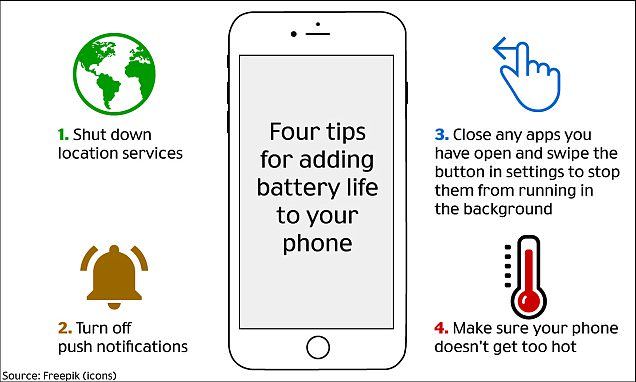
#1 Those hungry applications prey on your battery
"If you've ever traveled out of the country, you've probably had to turn every feature off your phone except for calling and texting. Turning off the extra features ensures your battery will last longer because there are a lot of hungry apps that are draining your battery without your realizing it", said Paul Shearing, a chemical engineer at the University College London.
"People think they figured out tricks for keeping their phone charged, but it really isn't a huge mystery. There are a lot of hungry apps on your phone, and by simply shutting them down you will save your battery life", said Shearing.
#2 Shut down the unwanted applications
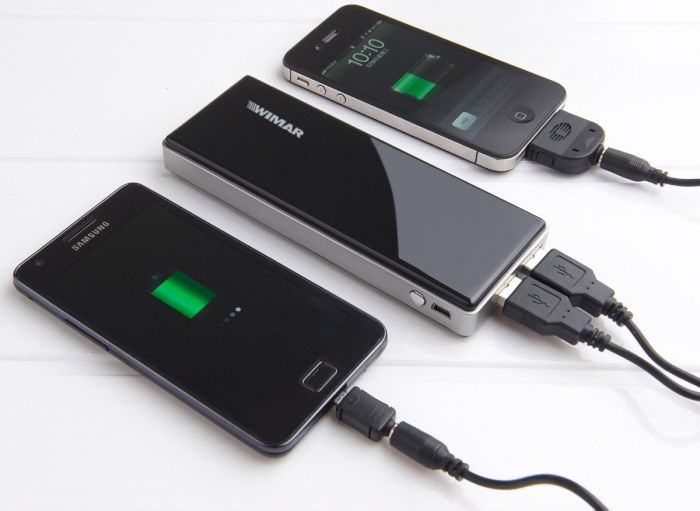
"It usually take just two to three hours for a phone to completely charge, but each phone has a management system that controls the battery voltage. The software takes care of how much power and voltage is being pushed through the battery, so it doesn't matter if you leave the phone charged for three hours or eight hours."
#3 Make sure your phone never gets too hot
The phone is like a computer, with all the powerful equipment stuffed inside it, except for a cooling fan. So, when it gets heated up, you are basically frying the CPU

#4 Glasgow experts' interactive guide customized for you
In October this year, Glasgow experts created an interactive guide on tips to extend battery life and enhance its performance. It includes the guide for specific phones. The user selects the model, and it is assumed that the latest OS runs on the handsets and the tips are then displayed.
#5 Enable and disable features to save on your battery
Clicking on a tip leads to a series of steps that the user can follow to enable or disable a feature. For an instance, for Samsung Galaxy S5 owners the most useful tip is to disable Air wake up on their phone.
#6 So, the sum up of all is this
These simple steps can lead to a better battery life and a happier you!